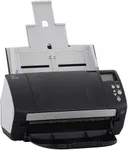
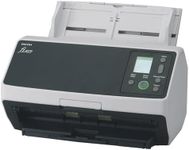
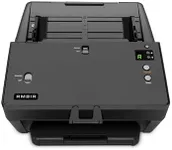
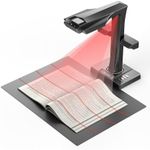
Buying Guide for the Best Document Feed Scanners
When choosing a document-feed scanner, it's important to consider your specific needs and how you plan to use the scanner. Document-feed scanners are designed to handle multiple pages at once, making them ideal for offices or individuals who need to digitize large volumes of documents quickly and efficiently. To find the best fit for you, you'll need to understand the key specifications and how they impact performance and usability.Scanning SpeedScanning speed is measured in pages per minute (PPM) and indicates how quickly the scanner can process documents. This spec is important because it affects how long it will take to complete your scanning tasks. If you have a high volume of documents to scan regularly, a higher PPM (e.g., 30-60 PPM) will save you time. For occasional use or smaller volumes, a lower PPM (e.g., 10-20 PPM) may be sufficient. Consider your typical workload to determine the right scanning speed for you.
ResolutionResolution is measured in dots per inch (DPI) and determines the clarity and detail of the scanned images. Higher DPI values (e.g., 600 DPI or more) produce clearer and more detailed scans, which is important for documents with small text or intricate graphics. For general document scanning, a resolution of 300 DPI is usually adequate. If you need to scan high-quality images or detailed documents, opt for a higher DPI.
ADF CapacityADF (Automatic Document Feeder) capacity refers to the number of pages the feeder can hold at once. This spec is important for efficiency, as a higher ADF capacity allows you to load more pages and scan them in one go without needing to reload frequently. For heavy-duty scanning tasks, look for an ADF capacity of 50 pages or more. For lighter use, a capacity of 20-30 pages may be sufficient. Consider how many pages you typically scan at a time to choose the right ADF capacity.
Duplex ScanningDuplex scanning means the scanner can scan both sides of a page simultaneously. This feature is important if you frequently scan double-sided documents, as it saves time and ensures both sides are captured accurately. If you often deal with double-sided documents, a scanner with duplex scanning capability is essential. For single-sided documents, this feature may not be necessary, but it can still be a convenient option to have.
Connectivity OptionsConnectivity options determine how the scanner connects to your computer or network. Common options include USB, Wi-Fi, and Ethernet. USB connections are straightforward and reliable for direct connections to a single computer. Wi-Fi and Ethernet options are useful for shared use in an office environment, allowing multiple users to access the scanner. Consider your setup and whether you need the flexibility of wireless or networked connections when choosing a scanner.
Software CompatibilitySoftware compatibility refers to the scanner's ability to work with different operating systems and document management software. This spec is important because it affects how easily you can integrate the scanner into your existing workflow. Ensure the scanner is compatible with your computer's operating system (e.g., Windows, macOS) and any specific software you use for document management. Check for bundled software that can enhance functionality, such as OCR (Optical Character Recognition) for converting scanned documents into editable text.
Size and PortabilitySize and portability refer to the physical dimensions and weight of the scanner. This spec is important if you have limited desk space or need to move the scanner between locations. Compact and lightweight models are ideal for small offices or home use where space is at a premium. Larger, heavier models may offer more features and higher capacities but require more space. Consider where you will use the scanner and how often you need to move it to choose the right size and portability.