Buying Guide for the Best Microsoft Flight Simulator Controls
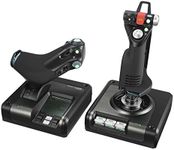
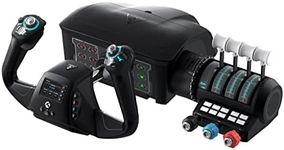
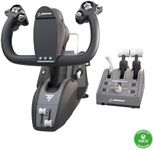
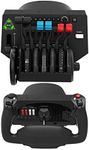
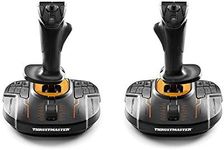
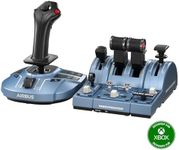
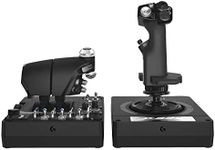
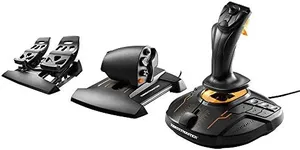
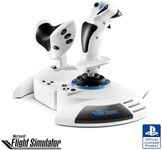
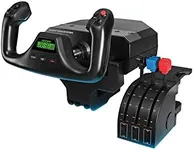
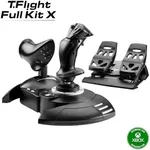
Choosing the right controls for Microsoft Flight Simulator can greatly enhance your gaming experience. The right controls can make the difference between a smooth, immersive flight and a frustrating one. When selecting flight simulator controls, it's important to consider your level of experience, the type of aircraft you prefer to fly, and the level of realism you want to achieve. Here are some key specifications to consider when making your choice.Type of ControlsThe type of controls you choose is crucial as it determines how you interact with the simulator. Common types include yokes, joysticks, and HOTAS (Hands On Throttle and Stick) systems. Yokes are typically used for flying commercial and general aviation aircraft, providing a realistic experience for those types of planes. Joysticks are more versatile and can be used for a variety of aircraft, including fighter jets. HOTAS systems offer a high level of control and are ideal for those looking to simulate military or advanced aircraft. Choose the type that aligns with the aircraft you enjoy flying the most.
Build QualityBuild quality refers to the materials and construction of the controls. High-quality materials like metal and high-grade plastics ensure durability and a more realistic feel. Controls with better build quality tend to last longer and provide a more immersive experience. If you are a frequent flyer in the simulator, investing in a well-built control system can be beneficial. For casual users, a mid-range build quality might suffice.
Number of AxesAxes refer to the directions in which the controls can move. More axes allow for more precise control over the aircraft. Basic joysticks might have three axes (pitch, roll, and yaw), while more advanced systems can have additional axes for throttle, rudder, and other controls. If you are looking for a more realistic and detailed flying experience, opt for controls with more axes. Beginners might find fewer axes easier to manage initially.
Programmable ButtonsProgrammable buttons allow you to customize your controls to suit your flying style. These buttons can be assigned to various functions such as landing gear, flaps, and other aircraft systems. Having more programmable buttons can enhance your control and efficiency during flights. If you prefer a highly customized setup, look for controls with a higher number of programmable buttons. For those who prefer simplicity, fewer buttons might be more manageable.
Force FeedbackForce feedback provides tactile sensations that mimic the forces experienced in real flight, such as turbulence and resistance. This feature can significantly enhance the realism of your flight simulation experience. If you are looking for the most immersive experience possible, controls with force feedback are a great choice. However, they tend to be more expensive and may not be necessary for casual users.
CompatibilityCompatibility refers to how well the controls work with your computer and the flight simulator software. Ensure that the controls you choose are compatible with Microsoft Flight Simulator and your operating system. Some controls may require additional drivers or software to function properly. Checking compatibility beforehand can save you from potential headaches and ensure a smooth setup process.
![Honeycomb Alpha LITE - compact yoke for flight simulation, 180 rotation, programmable buttons, sturdy steel shaft, clear design perfect for sim beginners, plug & fly with MSFS 2024 [video game] [video game] [video game] [video game]](https://images-proxy.bestreviews.guide/IRDX0hTY2RP9zWtpIk90xYJNf8Y=/0x150/https://m.media-amazon.com/images/I/419hJ63LHAL._AC_CX679_.jpg)